
Most trading platforms are designed around one assumption:
you are sitting at a desk.
A large monitor. Maybe two. Plenty of space for charts, watchlists, news, alerts and an order ticket.
That works well—until you leave the desk.
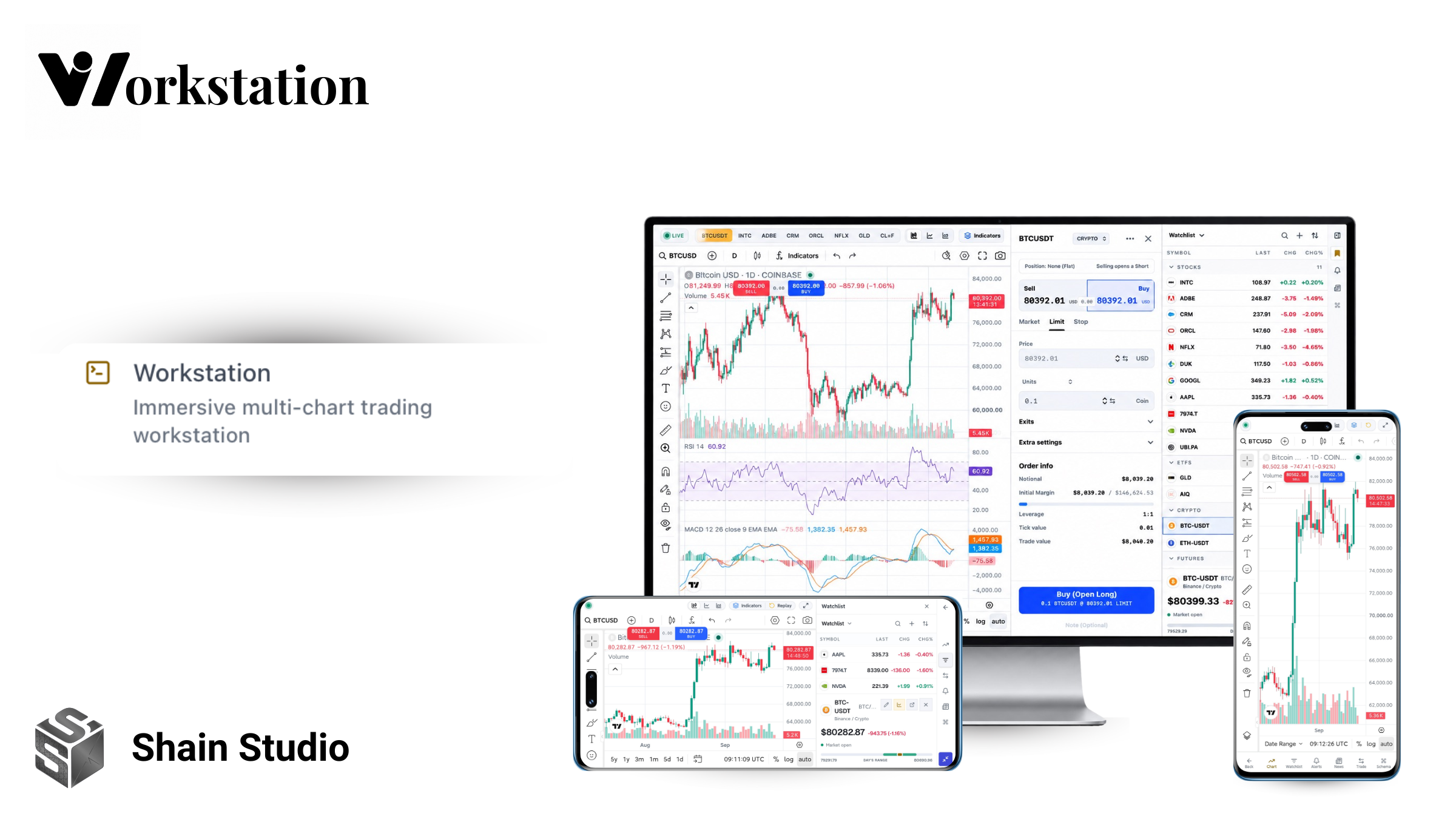
With WOWS Workstation, we wanted to build something different: a full browser-based trading workstation that feels at home on a desktop, but does not fall apart when you open it from a phone.
The idea is simple:
A trading desk that fits inside a browser tab.
More than another market dashboard
WOWS already has a traditional dashboard for market discovery.
The Workstation is intentionally different.
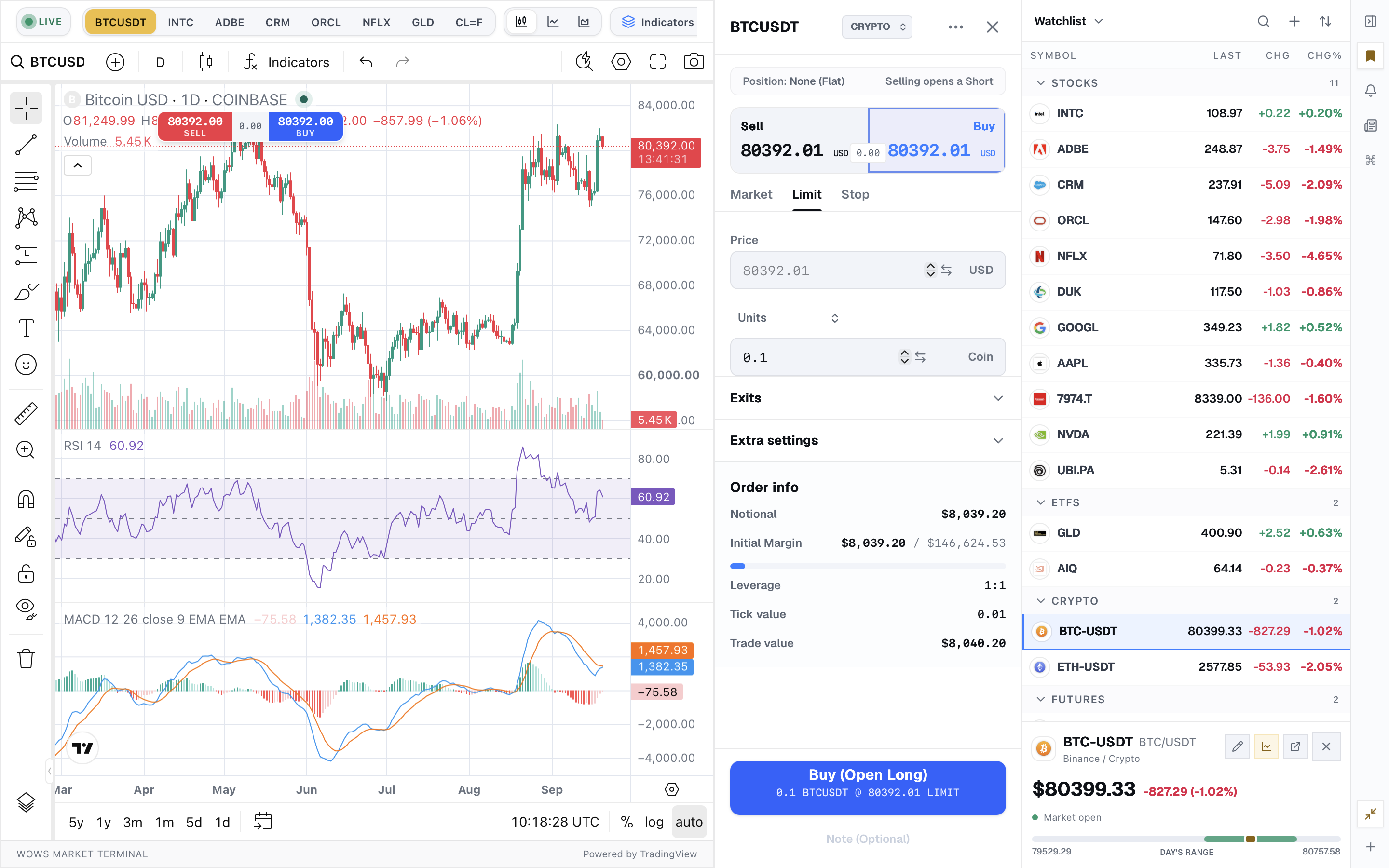
Instead of a scrolling page filled with separate cards, it uses a fixed trading-terminal layout built around the chart. The chart stays at the center while the tools you need sit around it: watchlist, technical indicators, replay, alerts, market news, Schema AI and paper trading.
On desktop, that means you can keep the chart open while monitoring a multi-asset watchlist or using the order ticket beside it.
No constant page switching.
No opening five tabs just to follow one trade idea.
One symbol, one connected workspace
A workstation should feel like one application—not a collection of widgets.
In WOWS, changing a ticker from the chart, watchlist or quick-symbol controls updates the rest of the workspace with it.
The browser URL also follows the active symbol, so a workstation link can be refreshed, bookmarked or shared without losing the market you were looking at.
That sounds like a small detail.
In practice, it is what makes the workstation feel connected.
Built for more than stocks
Markets are not just equities.
WOWS Workstation can organize multiple asset types, including stocks, ETFs, crypto, futures and other instruments, through a centralized asset-classification system rather than scattered ticker guesses throughout the UI.
That lets the watchlist behave more like a real market workspace:
Stocks. ETFs. Crypto. Futures.
Grouped, monitored and accessible from the same terminal.
The part we refused to ignore: mobile
This is where the project became much more ambitious.
A lot of financial software technically “supports mobile,” but what that often means is:
take the desktop layout, stack it vertically and hide whatever does not fit.
We wanted WOWS Workstation to actually adapt to the device.
Because a phone in portrait and a phone in landscape are not the same workspace.
Portrait: focused, one-handed access
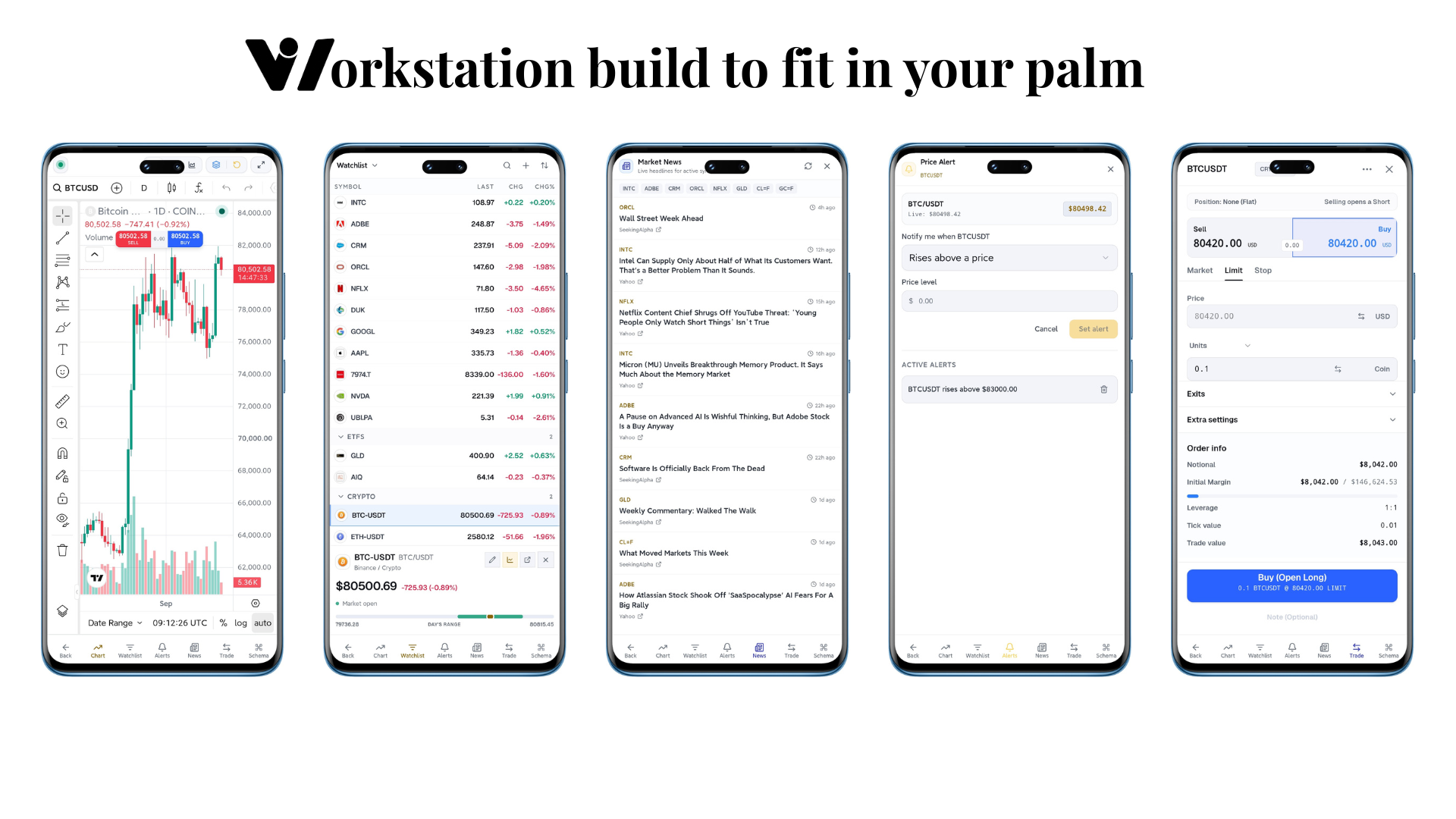
In portrait mode, the workstation becomes a focused mobile terminal.
The chart gets the screen when you need it.
A bottom navigation gives direct access to:
Chart · Watchlist · Alerts · News · Trade · Schema
So instead of squeezing a desktop sidebar beside a tiny chart, each tool gets enough room to actually be usable.
You can move from chart analysis to your watchlist, open a price alert, read market news or pull up the paper-trading ticket without leaving the Workstation.
Landscape: turn the phone sideways and the workstation changes with you
Landscape needed a completely different solution.
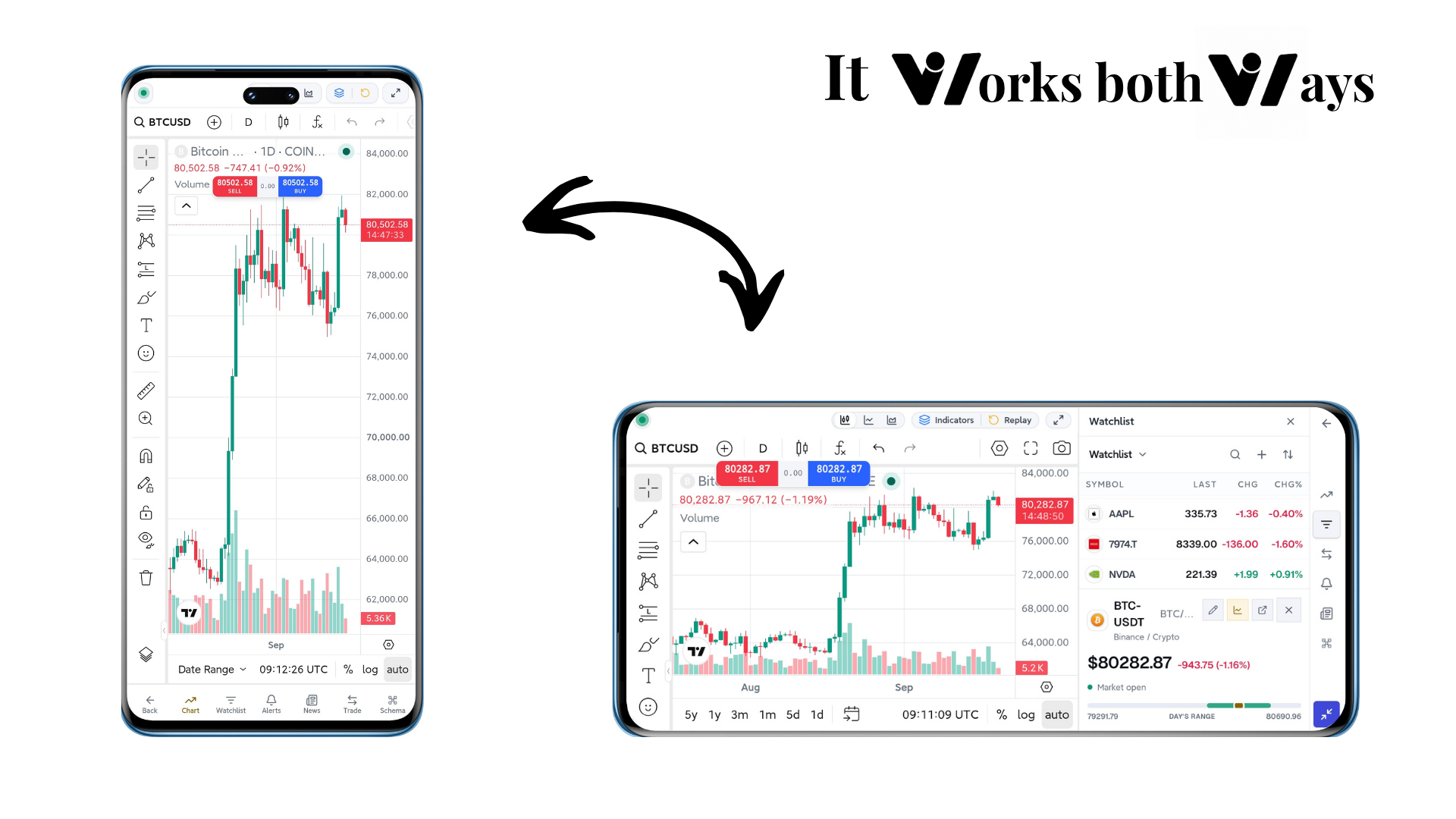
The chart becomes the priority again, while the workstation tools move into a compact vertical rail.
Open the watchlist and it appears beside the chart.
Open Trade and the order ticket becomes a side panel.
Alerts, News and Schema work the same way.
The interface is deliberately reorganized for short, wide phone screens rather than simply scaling the desktop layout down. WOWS even uses dedicated mobile-landscape rules specifically for this environment.
That means the same phone can work in two very different ways:
Portrait for focused navigation.
Landscape for a compact trading terminal.
We even fought the browser for screen space
Building a trading workstation inside a browser created another problem we did not want to ignore.
On Android Chrome, the address bar can consume a huge percentage of the available height when the phone is sideways.
That is acceptable for a normal webpage.
It is painful for a chart.
So WOWS Workstation includes an intentional fullscreen mode for mobile landscape. When supported by the browser, it requests fullscreen with the browser navigation UI hidden, giving the chart back the space that would otherwise be lost to Chrome.
We deliberately made this user-controlled.
We also learned an important lesson while building it: fullscreen should be something the user chooses, not something the interface forces on them.
That small decision reflects the larger philosophy behind the Workstation.
Use the screen as much as possible without taking control away from the person using it.
The same workstation, from your desk to your palm
This is what we wanted WOWS Workstation to become.
On a desktop, it can behave like a serious trading workstation with charts, indicators, replay, watchlists, alerts, news and paper trading sharing the same space.
On a phone, those same tools reorganize around the screen you actually have.
Not a stripped-down mobile version.
Not a desktop interface squeezed into a phone.
The same workstation, redesigned for the device in your hands.
That is the idea we are building around:
A trading desk that fits in a browser tab — and still works when that tab is in your palm.
WOWS Workstation is live
Explore WOWS Workstation → /workstation